
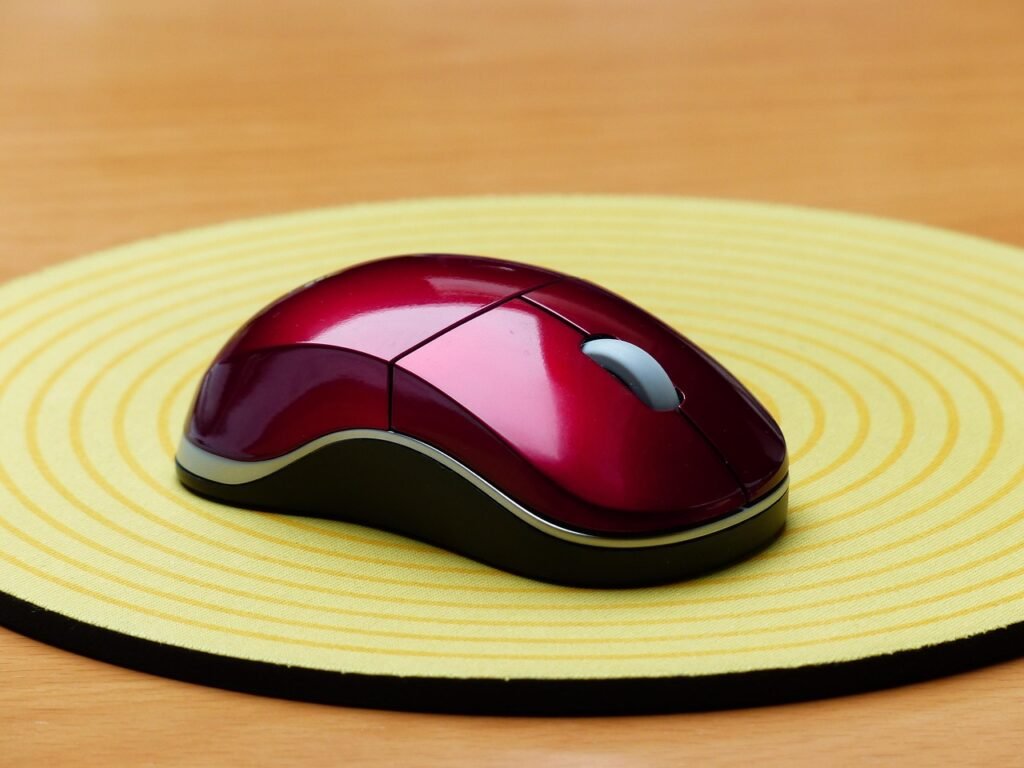
A computer mouse is a small handheld pointing device that lets you move the on‑screen cursor and interact with icons, menus and windows. It usually has at least two buttons and a scroll wheel, and it connects to a computer by cable, USB receiver or Bluetooth.
Inside this peripheral is an optical or laser sensor that tracks movement as you slide it across a flat surface. Combined with the keyboard, this pointing device is still the most common way to control a desktop or laptop.
Why This Pointing Device Still Matters
Everyday productivity and office work
For day‑to‑day tasks, the keyboard and pointing device work together as your main control system. A comfortable shape, responsive buttons and a smooth scroll wheel can:
- Make it faster to move around large documents and spreadsheets
- Reduce strain on your wrist and fingers during long sessions
- Give you handy shortcuts through extra buttons for copy, paste or browser navigation
When people upgrade from a basic bundled accessory to a better‑designed one, they often notice that clicking, scrolling and selecting feels noticeably smoother and less tiring.
Design, creative and technical work
In creative and technical fields, this accessory functions like a precision tool. Designers, editors and engineers rely on accurate tracking and fine control to:
- Paint, retouch or mask at pixel level
- Scrub through video timelines and audio tracks
- Pan and zoom in CAD, 3D and mapping applications
High‑quality sensors, stable tracking and a well‑tuned scroll wheel all help to make detailed tasks more comfortable and accurate.
Gaming and esports
A dedicated gaming mouse gives players the speed and precision they need in fast titles. Esports‑oriented models focus on:
- Adjustable sensitivity for quick but accurate aiming
- Low click latency and high polling rates
- Light weight and low‑friction feet for rapid movements
- Programmable buttons for skills, macros and quick commands
The right gaming‑grade device can feel like an extension of your hand, especially in shooters and competitive games where reaction time matters.
Types and Designs of Modern Pointing Devices
Wired vs wireless designs
A wired USB mouse connects with a physical cable and draws power directly from the computer. This arrangement is simple, inexpensive and avoids any worry about batteries.
A wireless mouse cuts the cable and uses radio signals instead. Many models rely on a tiny 2.4 GHz receiver that plugs into a USB port, offering low‑latency performance suitable even for demanding games.
A Bluetooth mouse pairs directly with notebooks, tablets and some phones without using a receiver at all. That makes it convenient for travel and ideal for slim laptops that only have a few ports.
Some premium devices support all three modes: wired, 2.4 GHz wireless and Bluetooth, so you can choose the connection that fits your setup.
Office and travel models
Standard office pointing devices are usually mid‑sized, with a simple three‑button layout and a modest optical sensor designed for reliability rather than extreme performance. They are built to withstand years of everyday use in businesses, schools and home offices.
Travel models shrink the shell and focus on portability. These compact accessories often include Bluetooth for use on the go, as well as aggressive power‑saving features so you can toss them in your bag and trust they’ll still work when you arrive.
Gaming‑focused designs
Gaming‑oriented models add performance features on top of the basics. A typical gaming mouse offers:
- Wide sensitivity ranges with on‑the‑fly switching
- High polling rates for more responsive feel
- Lightweight shells and low‑drag feet
- Configurable buttons plus profile storage
Some are tuned for specific grip styles or genres. For example, fast, lightweight shapes are popular in first‑person shooters, while multi‑button layouts are favoured for MMO and MOBA titles.
Ergonomic and vertical options
An ergonomic mouse uses a sculpted shape that supports your hand in a more natural posture. The idea is to reduce twisting in the wrist and forearm, spread pressure over a larger area and keep fingers relaxed over the buttons.
A vertical mouse goes further by rotating the hand into a handshake‑like position. Many people who experience discomfort with flat designs find that this handshake posture feels more neutral, especially during long work days.
These ergonomic options are particularly appealing if you type and click for many hours, or if you are building a workstation that emphasizes comfort and long‑term health.
Silent, trackball and other specialty layouts
Beyond the mainstream categories, there are several special‑purpose designs:
- A silent mouse uses dampened switches and internal padding so clicks are very quiet. This is ideal in libraries, classrooms, studios and shared offices.
- Trackball devices stay still while you roll a ball with your thumb or fingers. They are handy in tight spaces and for detailed creative work.
- 3D controllers and presentation remotes are tailored to navigation in specialised software or controlling slideshows from a distance.
These niche products won’t suit every user, but they can be a perfect fit for certain workflows and environments.
Price Ranges for a Computer Mouse
When you compare mouse price ranges, it helps to think in three broad tiers: budget, mid‑range and premium. Exact figures vary by region and store, so treat these as general guidelines rather than strict numbers.
Budget tier mouse
Budget models focus on essential features:
- Simple wired USB or basic wireless designs
- Standard optical sensors
- Minimal extra buttons or software
This tier is ideal for basic office tasks, school work and casual home use. A budget‑friendly device from a known brand can still feel solid and reliable as long as the shape fits your hand.
Mid‑range tier mouse
Mid‑range products often offer the best value:
- More accurate sensors and better tracking
- Improved build quality, materials and switches
- Extra buttons, tilt wheels or multi‑device pairing
In this tier you start to see better ergonomic shaping, smoother scrolling and more powerful configuration software. For many people, a mid‑range unit is the sweet spot between cost and comfort.
Premium and professional tier mouse
Premium pointing devices are built for power users, creative professionals and serious gamers:
- Advanced sensors with very high tracking accuracy
- Refined ergonomics and long‑life components
- Multiple connectivity modes and quick switching between computers
- Extra features such as quick‑charging batteries, charging docks or smart gesture controls
If you spend most of your day working, designing or playing on a PC, investing in this tier can pay off in comfort and productivity over time.
Key Features to Look For When You Buy
When choosing a new accessory, it’s easy to get distracted by marketing terms. Focus instead on the practical design details that affect how it feels and behaves.
DPI and sensitivity
DPI (dots per inch) measures how far the cursor moves in response to physical movement. Higher numbers make the pointer travel farther with the same hand movement.
Roughly:
- Lower sensitivity works well for precision tasks and tight control
- Medium ranges suit everyday office work and light gaming
- Higher ranges are popular in fast games and multi‑monitor setups
The key is adjustability. Look for models that let you switch between several DPI levels, either through a dedicated button or software profiles.
Sensor and tracking performance
Most current pointing devices use optical or laser sensors. A good sensor should:
- Track smoothly at slow and fast speeds
- Avoid skipping or jittering
- Work reliably on your chosen surface
For gaming and detailed creative work, tracking quality matters more than the biggest DPI number on the box.
Buttons, scroll wheel and customization
Buttons and the scroll wheel are where your fingers meet the hardware. Pay attention to:
- Number and placement of side buttons
- Tactile feel and noise level of clicks
- Smoothness and precision of the wheel
- Availability of tilt scrolling or a free‑spin mode
Many mid‑range and premium designs come with configuration software so you can assign shortcuts, macros and app‑specific actions to different buttons.
Connectivity and multi‑device support
Think about how you will connect:
- Wired USB is simple and lag‑free.
- A 2.4 GHz receiver is great if you want wireless freedom without sacrificing responsiveness.
- Bluetooth is ideal for travel and slim laptops with limited ports.
Some high‑end devices can pair with several computers at once and switch between them with a single button, which is extremely handy for multi‑device workflows.
Size, weight and ergonomics
Comfort is personal, so consider:
- Hand size – smaller hands may prefer compact shells, larger hands usually like full‑size bodies.
- Grip style – palm, claw and fingertip grips work best with different shapes.
- Weight – lighter options feel nimble, heavier ones can feel more planted and stable.
- Ergonomic features – sculpted or vertical designs can reduce strain over long sessions.
If possible, try a few shapes before committing. A well‑fitting design makes more difference than most spec sheet numbers.
Battery life and charging
For cordless models, battery life and charging convenience are important:
- Some use replaceable AA or AAA batteries that can last for months.
- Others have built‑in rechargeable batteries charged via USB‑C or a dock.
- Power‑saving modes and automatic sleep help extend runtime.
Choose a solution that fits your habits. If you game a lot, fast charging or a dock is useful. If you mainly work on documents, long‑lasting low‑power modes might matter more.
Leading Brands and Suppliers in the Mouse Market
The market for pointing devices combines well‑known PC manufacturers with specialist gaming and ergonomic brands.
Mainstream productivity brands
Large technology companies supply the bulk of everyday models used in homes, schools and offices. Well‑known names include Logitech, Microsoft, HP, Dell, Lenovo, Apple, ASUS and Acer. These brands offer everything from basic bundled accessories to advanced productivity designs with multiple connectivity options.
Gaming specialists mouse
In the gaming world, brands such as Razer, Logitech G, Corsair, SteelSeries, HyperX, ASUS ROG and others create gear tailored to competitive play. They focus on lightweight shells, advanced sensors, high polling rates and sophisticated configuration software that lets players fine‑tune every aspect of performance.
Ergonomic and specialty makers
Specialist manufacturers concentrate on trackballs, vertical shapes and other ergonomic layouts. Companies like Evoluent, Kensington, Elecom and 3Dconnexion build products that target comfort, health and niche professional workflows. While their overall volume is smaller, their influence in ergonomic discussions is significant.
How to Choose the Best Mouse for Work and the Best Mouse for Gaming
Choosing the best mouse for work
When you look for the best mouse for work, prioritize comfort and practical features:
- A shape that suits your hand size and grip
- Quiet or silent switches if you share your workspace
- Smooth, accurate tracking for documents and creative tasks
- Extra buttons mapped to frequent shortcuts
- Multi‑device pairing if you switch between a desktop, laptop and tablet
A well‑designed work companion turns long days of clicking and scrolling into a smoother, less fatiguing experience.
Choosing the best mouse for gaming
When you target the best mouse for gaming, your priorities shift:
- Low latency through wired or gaming‑grade wireless connections
- A comfortable shell matched to your grip style
- A high‑quality sensor with consistent tracking at your preferred sensitivity
- Low overall weight for fast flicks in shooters
- Enough buttons and profiles for your favourite genres
Ultimately, the right gaming companion is the one that feels natural in your hand while giving you reliable, responsive control in the titles you play most.
FAQs About Computer Mice
Is a vertical mouse better for wrist pain?
A vertical mouse rotates your hand into a handshake‑like posture, which can reduce twisting in the forearm and may ease strain for some people. Many users find this design more comfortable over long periods. However, it is not a medical treatment, so persistent pain should be discussed with a healthcare professional and addressed as part of a broader ergonomic setup.
What is the best mouse for small hands?
For smaller hands, look for compact shells with lower height and shorter length. A lighter accessory with buttons that are easy to reach will be more comfortable than a large, bulky design. Many gaming and productivity lines offer “mini” or “S” sizes specifically for this purpose.
Wired vs wireless mouse: which is better?
Wired models are simple, inexpensive and don’t need charging. They are great for desktop setups and fast games. Wireless designs offer a cleaner desk, more freedom of movement and are ideal for laptops and travel. Modern 2.4 GHz receivers are almost indistinguishable from wired in responsiveness, so the choice mostly comes down to preference and convenience.
Is a Bluetooth mouse good enough for gaming?
For casual gaming and single‑player titles, a Bluetooth connection is usually fine. Competitive players often prefer wired or dedicated 2.4 GHz receivers because they offer more consistent low‑latency performance. Many modern gaming‑grade devices include both options so you can use Bluetooth at work and a faster mode for play.
How long should a wireless mouse battery last?
Battery life depends on the sensor, polling rate, lighting effects and power‑saving features. Office‑focused devices can run for weeks or months on a single charge or set of batteries, while high‑performance gaming models may need charging more often, especially if lighting and high polling rates are enabled. Check the manufacturer’s estimates and choose a model whose charging routine fits your habits.
What affects mouse price the most?
Mouse price is influenced by several factors:
- Brand and warranty support
- Sensor quality and tracking accuracy
- Materials, switches and overall build
- Connectivity options and number of supported devices
- Extra features such as RGB lighting, advanced software, ergonomic shaping or trackball mechanisms
Budget products cover essential needs, mid‑range models balance quality and cost, and premium options add comfort, performance and longevity for people who spend a lot of time at their computers.